
Clicketing
Clicketing registration management system, created by CLIC, for CLIC. It is available on https://clic.epfl.ch/clicketing, and its codebase on the GitHub repository.
How it works
Before an event, Clicketing sends an e-mail to each participant containing a QR Code to facilitate entry. At the start of the event, everyone presents themselves at reception with their QR Code, which staff can scan to confirm registration and attendance.
Login
The admin password is stored on the Vaultwarden.
Utilisation
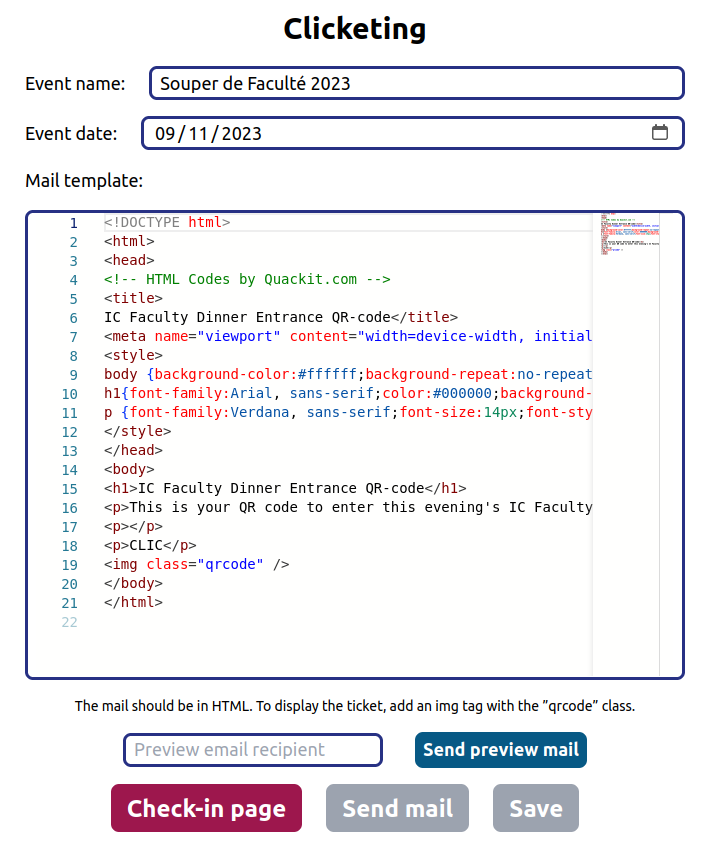
The service allows you to manage registrations by event. On the main page, you can create and edit events. Each event is assigned a name, a date and an e-mail template.
The mail can be sent to all participants exactly once, using the Send mail button. To check the email, you can send it to a specific person, by entering their address in the Preview email recipient field and pressing Send preview email. This email will contain a random QR Code, and is only to be used to view the visual rendering of the template.
To add participants, you need to use the HTTP API. The ideal way is to create a script on the registration sheet, in order to generate a JSON. For more information, see dev's documentation on the repository.
Possible improvements
- Use camipro readers instead of QR Code (see Camipro API).
- Security: Sessions with expiry date.
- Additional data to be inserted in e-mail (name, date, menu, etc.).
- Automatic insertion of participants when registering on form.
- Insert/edit/archive participants (indicate payment, etc.).
- Automatic sending of email upon registration/payment.